CV UID guide
How to Create a Professional Online CV in India: A Complete Guide for Freshers and Job Seekers
Learn how to create a professional online CV, present your skills and experience clearly, and share one updated CV link with recruiters through LinkedIn, WhatsApp, email or a QR card.
Finding a good job is not only about having the right qualifications. It is also about presenting those qualifications clearly and making your CV easy for the right people to access.
Candidates in India now discover opportunities through job portals, LinkedIn, WhatsApp groups, college placement cells, email and direct recruiter conversations. Sending a different CV file in every place can quickly become confusing. Old versions remain in circulation, links expire and recruiters may receive a document that no longer reflects your current experience or skills.
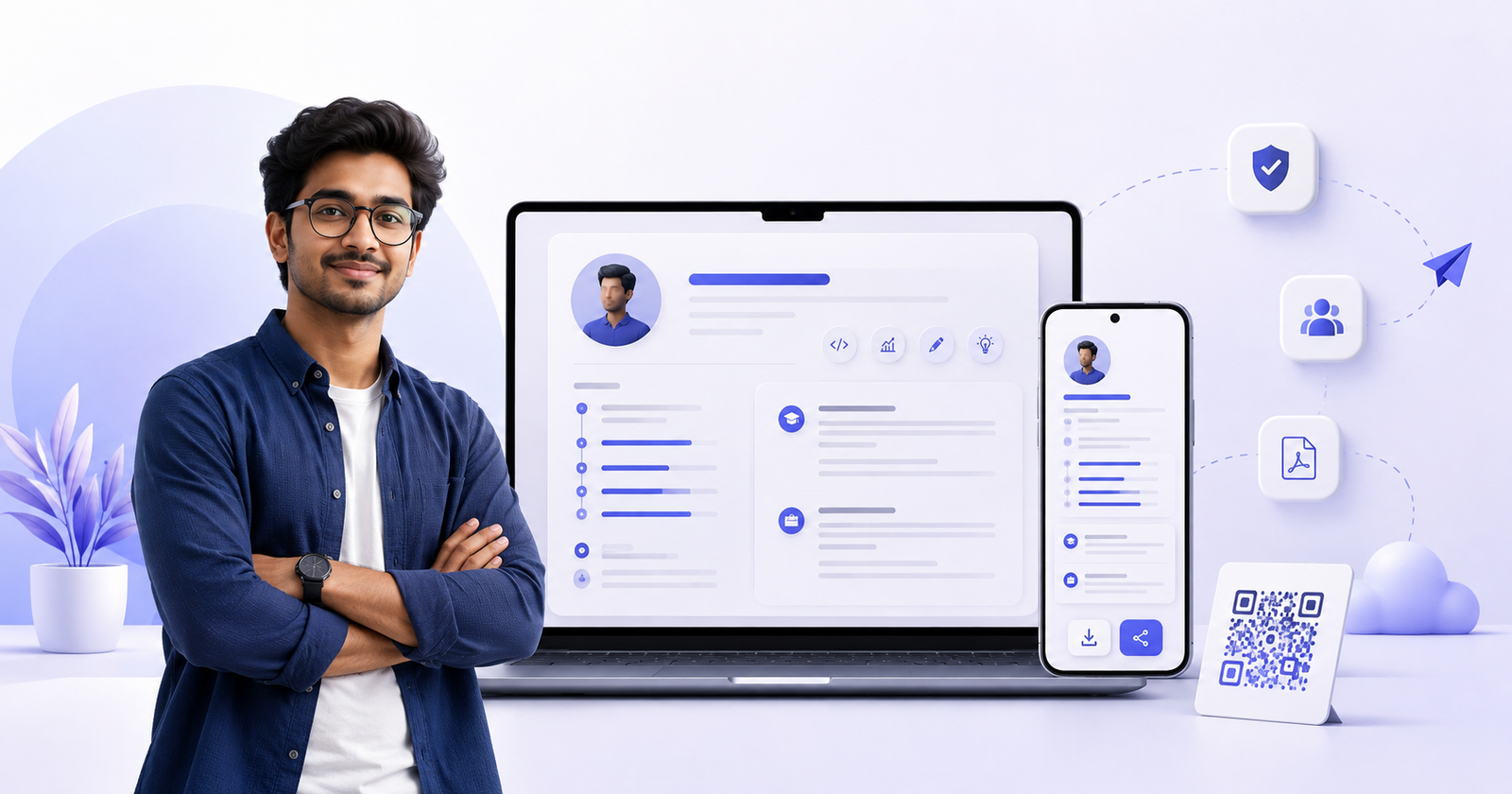
A professional online CV gives you one current profile that you can update and share whenever an opportunity appears. With CV UID, you can create a structured professional profile, receive a permanent unique CV ID, share your CV through a link or QR card, control access and download a branded PDF when needed.
This guide explains how to create an online CV that is useful for students, freshers, experienced professionals and anyone actively searching for a job in India.
What is an online CV?
An online CV is a professional profile that opens in a web browser through a shareable link. It can include your professional headline, summary, skills, work experience, education, projects, certifications, languages and other career information.
Unlike a CV file saved on someone else's phone or computer, an online CV can stay current. When you update your profile, the same link can show the latest information. You do not have to create a new link every time your role, qualification or contact details change.
An online CV may also be called a digital CV, online resume, digital resume, professional profile or shareable resume link. The purpose is the same: make it easier for recruiters and employers to understand your professional background.
Why job seekers should keep an online CV ready
Job opportunities often appear without much notice. A recruiter may send a message, a friend may forward an opening or someone may post a vacancy in a college or professional group. A ready-to-share CV helps you respond quickly and professionally.
One link stays current
You can update your experience, education, projects or skills while continuing to share the same permanent CV link. This reduces the chance of an old resume being reviewed.
Easier sharing with recruiters
A CV link can be shared through LinkedIn, WhatsApp, email, job communities or a message to an HR professional. The recipient can open it without downloading an attachment first.
A more consistent professional profile
A structured CV builder helps you organise information into clear sections. Recruiters can scan your headline, summary, skills and recent experience before reading the full profile.
A QR CV card for offline opportunities
A downloadable CV QR code and printable card can be useful at job fairs, campus placements, networking events and face-to-face meetings. Scanning the card opens the same online CV.
Better privacy control
Not every candidate wants a completely public CV. CV UID lets you choose whether your profile is public, protected with a PIN or private. A protected profile can show a useful professional preview while keeping the complete CV restricted.
What should a professional CV include?
A good CV gives an employer enough relevant information to decide whether to speak with you. It should be complete, but it should not contain every detail of your life.
Your CV should normally include:
- Your correct name and professional headline
- City, state and country
- A professional email address and active mobile number
- A concise professional summary
- Skills relevant to your target role
- Work experience in reverse chronological order
- Education in reverse chronological order
- Academic, personal or professional projects
- Certifications and professional training
- Languages you can use professionally
- Achievements, awards or relevant volunteer work
Never place Aadhaar numbers, PAN details, bank information, passwords or other sensitive identity information on a CV. Include only information that is relevant to an employer and that you are comfortable sharing.
How to create a professional online CV step by step
1. Start with a clear professional headline
Your headline should tell a recruiter what you do or what type of opportunity you are seeking. Avoid vague headlines such as “Looking for a job” or “Need opportunity.”
Better examples include:
- HR & Admin Executive | Recruitment, Onboarding and Employee Operations
- Mechanical Engineering Fresher | AutoCAD, SolidWorks and Production Planning
- Frontend Developer | React, JavaScript and Responsive Web Design
- B.Com Graduate | Accounting, Excel and GST Basics
- Sales Professional | B2B Business Development and Client Relationships
A specific headline improves clarity and naturally includes keywords that employers may use when searching for candidates.
2. Write a short professional summary
Your professional summary should usually be one focused paragraph. It should explain your background, strongest abilities and the value you can bring to an employer.
You can use this simple structure:
Who you are + your experience or education + your strongest skills + the type of work you can handle.
Example for a fresher:
“Computer Science graduate with practical experience in Java, SQL and web development through academic and personal projects. Comfortable building responsive applications, solving technical problems and working in a team. Seeking an entry-level software development opportunity.”
Example for an experienced candidate:
“HR and administration professional with three years of experience in recruitment coordination, onboarding, employee documentation and office operations. Skilled in managing day-to-day HR processes, supporting employees and maintaining accurate records.”
Do not fill the summary with unrelated keywords. Use the words that accurately describe your experience and target role.
3. Add relevant skills
Skills help recruiters quickly understand whether your profile matches a role. Add technical skills, software knowledge, tools, industry knowledge and job-related abilities.
For example:
- A software developer may add JavaScript, React, PHP, Laravel, MySQL, Git and REST APIs.
- An accountant may add Tally, GST, bookkeeping, Microsoft Excel, invoicing and financial reporting.
- An HR professional may add recruitment, onboarding, payroll coordination, HR operations and employee engagement.
- A mechanical engineer may add AutoCAD, SolidWorks, quality control, production planning and preventive maintenance.
Choose skills you can explain during an interview. A long list of unsupported skills can reduce trust.
4. Present work experience with results
List your most recent experience first. For each position, include your job title, organisation, employment type, location, dates and key responsibilities or achievements.
Whenever possible, show the result of your work instead of listing only routine duties.
Instead of:
- Responsible for customer calls.
Write:
- Handled customer enquiries and coordinated follow-ups to improve response time and issue resolution.
Instead of:
- Worked on social media.
Write:
- Planned and published social media content, monitored audience engagement and supported monthly campaign reporting.
Use real numbers when you can verify them, such as the size of a team supported, monthly enquiries handled, projects completed or time saved.
5. Add education and projects
Education is especially important in a CV for freshers and college students. Add your qualification, institution, field of study, dates and relevant results when they strengthen your application.
Projects can show practical ability even when you do not yet have full-time work experience. Include:
- The problem or objective
- Your individual contribution
- Tools or skills used
- The final result
Do not describe a team project as if you completed everything alone. Recruiters value clarity and honesty.
6. Add certifications, achievements and languages
Relevant certifications can support your skills, particularly when you are changing careers or applying for your first role. Achievements can include academic awards, competitions, performance recognition or measurable contributions.
List languages accurately. If your speaking, reading and writing abilities are different, describe them honestly rather than claiming fluency.
7. Review every detail before sharing
Check spelling, dates, phone numbers, email address and employment information. Read the CV once on a desktop screen and once on a mobile phone. Ask a trusted friend, teacher or colleague to review it if possible.
Your CV should be easy to understand in the first few seconds. A recruiter should quickly see your name, headline, location, summary and strongest skills.
How freshers can create a strong CV without experience
Many students believe they cannot create a good resume without a previous job. That is not true. A fresher CV should focus on evidence of ability rather than trying to imitate an experienced professional.
You can include:
- Academic and personal projects
- Internships, apprenticeships or industrial training
- Relevant coursework and practical assignments
- College clubs and positions of responsibility
- Volunteering and community work
- Competitions, hackathons and workshops
- Certifications and software skills
- Freelance or part-time work that demonstrates responsibility
Explain what you did, what tools you used and what you learned. A small but clearly described project is more useful than a large project title with no explanation.
How to share your CV with recruiters
Creating the profile is only the first step. Share it with useful context so the recipient knows why you are contacting them.
Share your CV on LinkedIn
Add your CV link to the Featured section of your LinkedIn profile when appropriate. You can also include it in a thoughtful post about the kind of role you are seeking. See the complete guide to sharing your CV on LinkedIn.
Avoid posting only “Interested” below a hiring post. Write a short, relevant message that mentions your role, experience or strongest skill and then share your CV UID link.
Example:
“Hello, I am a B.Tech Computer Science graduate with project experience in React and JavaScript. I am interested in the junior frontend developer role. My updated CV is available here: [your CV UID link].”
Send your CV through WhatsApp
Keep the message professional and brief:
“Hello Ma'am/Sir, I am applying for the Accounts Executive position. I have two years of experience in Tally, invoicing and GST documentation. Please find my updated CV here: [your CV UID link]. Thank you for your time.”
Do not send repeated messages if the recruiter does not respond immediately.
Share through email
Use a clear subject line such as “Application for HR Executive – Your Name.” Add a short introduction in the email and include your shareable CV link. Follow the employer's instructions if they specifically request an attached document.
Use your QR CV card
Download your CV UID QR card and keep it on your phone. You can also print it as a compact professional card for career fairs, campus placement events and networking opportunities.
Public, PIN-protected or private: which setting should you choose?
Choose visibility according to how you are using your profile.
- Public: Useful when you want recruiters to open the complete CV immediately.
- PIN-protected: Useful when you want to share a PIN directly or approve an employer's access request.
- Private: Useful when you do not want the profile available to other people.
Read more about using a PIN-protected CV before sharing confidential access. Send the PIN only to people you trust.
Online CV, PDF resume and ATS applications
An online CV link is convenient for direct sharing, recruiter conversations and professional networking. A downloadable PDF is useful when someone requests a fixed document or when you need a printable copy.
Some large job portals use an Applicant Tracking System, or ATS, to extract text from uploaded resumes. Always follow the format requested in the job advertisement. If an application portal specifically requires a machine-readable document, upload the requested file type and use your CV UID link as an additional current profile where the form permits it.
Common CV mistakes to avoid
- Using an unclear headline such as “Job seeker”
- Writing a very long summary without a clear focus
- Adding skills that you cannot demonstrate
- Copying another person's summary or responsibilities
- Leaving incorrect dates or outdated contact information
- Describing duties without showing outcomes
- Sharing a PIN-protected profile without the PIN or access context
- Sending the same unexplained message to every recruiter
- Including sensitive identity or financial information
- Failing to check the CV on a mobile phone
Final CV checklist
Before sharing your profile, confirm that:
- Your name and contact information are correct
- Your headline matches your target role
- Your summary is concise and specific
- Your most relevant skills appear clearly
- Experience and education are ordered from most recent to oldest
- Projects explain your contribution and tools
- Dates and spelling have been checked
- Your chosen visibility setting is correct
- Your CV link opens properly
- Your QR card scans to the same profile
Frequently asked questions
How can I create a CV online in India?
Create a candidate account on CV UID, verify your email and complete the profile sections. You will receive a permanent CV UID and a shareable online CV link.
Is an online CV useful for freshers?
Yes. Freshers can use an online CV to present education, internships, projects, certifications, skills, achievements and volunteer experience in a structured format.
Can I update my CV after sharing it?
Yes. Your CV UID remains the same when you update your profile, so previously shared links can show the latest information according to your visibility settings.
Can I share my CV through LinkedIn or WhatsApp?
Yes. You can copy your CV UID link from the candidate dashboard and share it through LinkedIn, WhatsApp, email and other channels. Add a short message explaining the role you are seeking.
Can I download my online CV as a PDF?
Yes. Candidates can download a branded PDF version from the CV UID dashboard when a fixed or printable CV is needed.
Can I protect my CV with a PIN?
Yes. You can use PIN-protected visibility and share the PIN with a trusted recipient. Registered employers can also request full-profile access, which you can approve or reject.
Create one professional CV link that stays current
Your CV is often the first detailed introduction an employer receives. Make it accurate, focused and easy to share.
Create your CV UID, complete your professional profile and keep one updated CV link ready for the next opportunity.